The shift to digital classrooms has transformed education, moving beyond emergency remote teaching to sophisticated, intentional online pedagogy. But creating a truly effective online learning experience, one that's engaging, inclusive, and impactful, requires a deliberate strategy. It's not enough to simply point a webcam and lecture; successful virtual instruction demands a new set of skills and a thoughtful approach to every aspect of course delivery. This guide moves past the obvious advice and dives deep into 10 proven best practices for online teaching that you can implement today.
This article provides a comprehensive blueprint, covering actionable frameworks for everything from course design and student engagement to assessment and technology integration. We'll explore how to structure asynchronous modules for flexibility, lead dynamic synchronous sessions that foster community, and provide feedback that genuinely supports learning. Choosing the right technological foundation is also critical. When laying the foundation for effective online education, a comprehensive Online Course Platform Comparison Guide is invaluable for selecting the right tools to support your pedagogical goals.
Whether you are a corporate trainer developing new modules, a content creator launching a masterclass, or an educator refining your virtual classroom, these strategies will equip you with the practical tools needed to excel. We will break down each practice into specific, actionable steps, providing a clear roadmap to elevate your instruction and build a thriving online learning environment. Let’s explore the components of a successful virtual education strategy.
1. Implement Structured Asynchronous Learning Modules
One of the most effective best practices for online teaching is to move beyond the traditional live lecture and embrace structured asynchronous learning. This approach involves creating self-paced learning content, organized into digestible modules, that students can access on their own schedule. This method is exceptionally valuable for accommodating learners across different time zones, those with work or family commitments, and individuals who prefer to learn at their own pace.
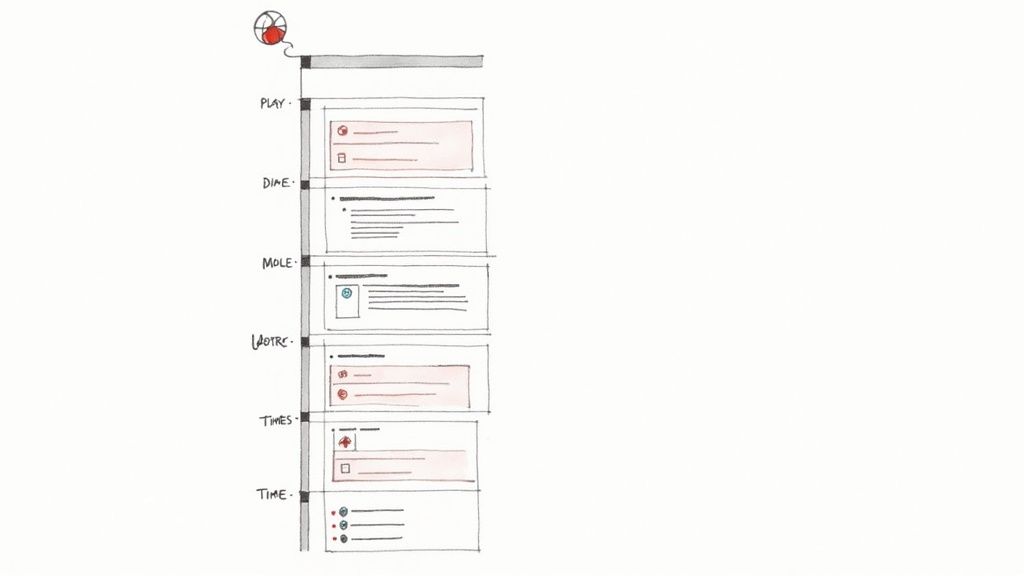
This model, proven successful by platforms like Coursera and edX, provides flexibility without sacrificing structure. By releasing content in weekly modules, you guide students along a clear learning path, preventing them from feeling overwhelmed or falling behind. Each module should be a self-contained unit with clear objectives, a mix of content types (video, readings, quizzes), and a defined deadline to maintain momentum.
How to Implement This Strategy
- Chunk Your Content: Break down complex topics into short, focused videos. Aim for a duration of 8-12 minutes per video to maximize student engagement and retention.
- Enhance Accessibility: Always include accurate transcripts and closed captions for all video content. This not only supports learners with hearing impairments but also benefits non-native speakers and those watching in noisy environments.
- Establish a Rhythm: Set a consistent schedule for releasing new modules and establishing due dates for assignments. This predictability helps students manage their time effectively and creates a sense of shared progress within the cohort.
- Provide Clear Navigation: Use chapter markers or clear timestamps in your videos to help students easily find specific information or review key concepts without rewatching the entire recording.
Structuring your course this way provides immense value, allowing you to focus live session time on interactive discussions, Q&A, and collaborative activities rather than one-way information delivery. To begin building your own modules, you will need the right software stack. You can explore a variety of online course creation tools to find the perfect fit for your content and teaching style. This structured, student-centered approach is a cornerstone of modern, effective online education.
2. Establish Regular Synchronous Live Sessions
While asynchronous modules offer flexibility, incorporating regular synchronous live sessions is another one of the best practices for online teaching that fosters community and direct engagement. These real-time video meetings, hosted on platforms like Zoom or Microsoft Teams, provide a dedicated space for students and instructors to interact face-to-face. This direct connection is crucial for building rapport, clarifying complex topics, and creating a sense of shared purpose and accountability within the virtual classroom.
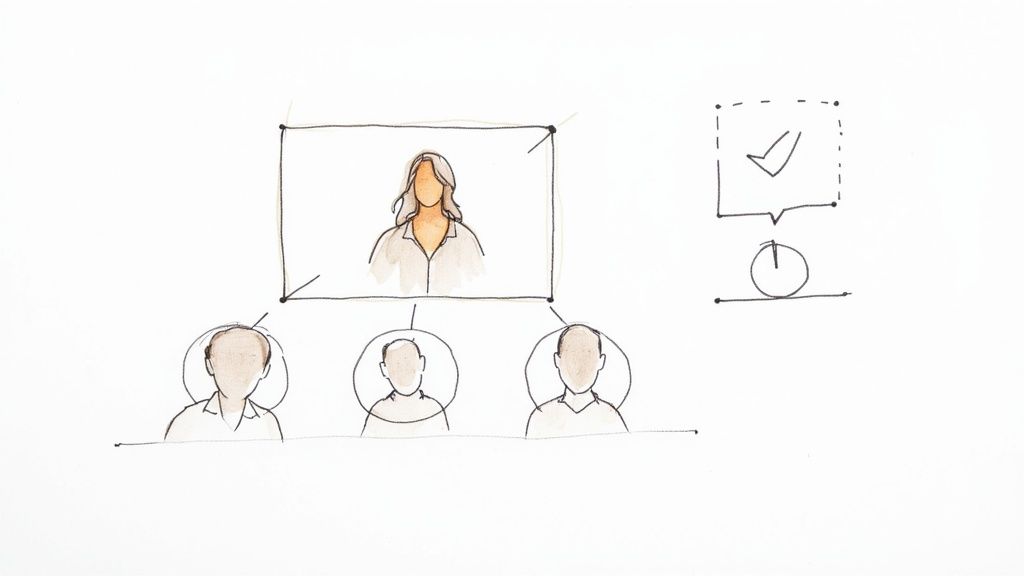
This blended approach, combining self-paced learning with live interaction, offers the best of both worlds. Many leading institutions, like Harvard and Yale, successfully used live seminars and virtual office hours to maintain educational continuity and student connection. The key is to use this synchronous time for high-value activities that cannot be replicated asynchronously, such as group discussions, collaborative problem-solving, and immediate Q&A sessions.
How to Implement This Strategy
- Set a Consistent Schedule: Schedule your live sessions at the same time each week or bi-weekly. This predictability helps students build a routine and plan their schedules accordingly, increasing attendance and participation.
- Record Everything: Always record live sessions and make them available for students who couldn't attend. This ensures that no one misses out on crucial information due to time zone differences or other commitments.
- Maximize Interaction: Design sessions specifically for engagement. Use built-in tools like polls, breakout rooms, and chat features to encourage active participation rather than passive listening.
- Keep it Focused: To maintain student attention, limit live sessions to 60-90 minutes. Start each session with a clear agenda and end with a summary of key takeaways to ensure the time is used effectively.
By thoughtfully integrating synchronous sessions, you can transform a solitary online course into a vibrant learning community. This strategy allows you to address student questions in real-time and provide the human connection that is essential for a motivating and supportive educational experience.
3. Create Interactive Discussion Forums and Communities
Another of the most impactful best practices for online teaching is to cultivate a vibrant learning community through interactive discussion forums. This strategy moves beyond one-way content delivery by establishing moderated online spaces where students engage in peer-to-peer learning, collaborative problem-solving, and thoughtful dialogue. These communities are vital for building a sense of belonging and connection in a remote setting, which can significantly boost student motivation and retention.
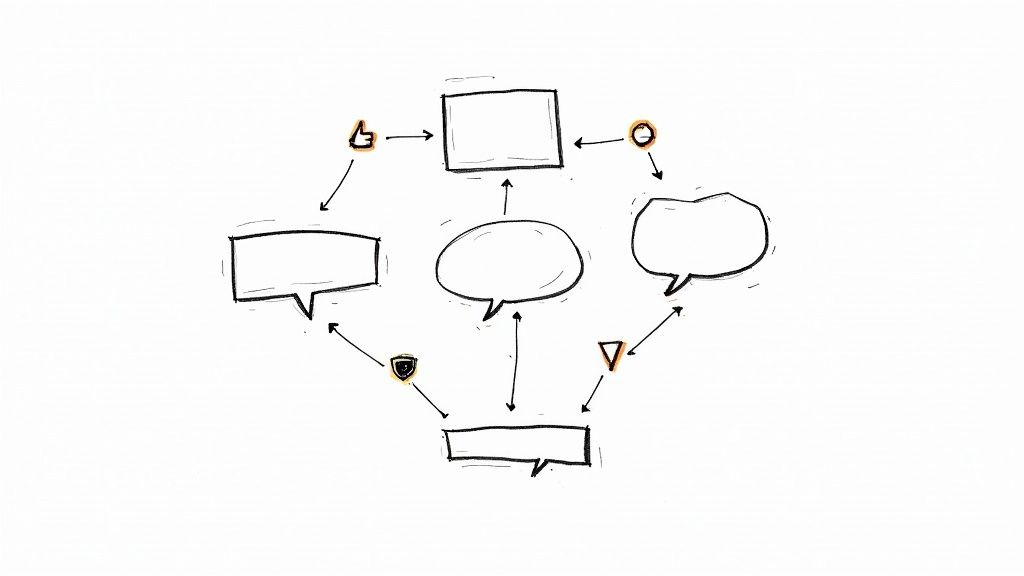
This approach transforms passive learners into active participants. Well-designed forums, whether inside a learning management system like Canvas or on platforms like Slack or Discord, allow students to deepen their understanding by articulating their thoughts and responding to the perspectives of others. By fostering this environment, you not only reinforce course concepts but also reduce your own workload as students begin to answer each other's questions, mimicking the collaborative dynamic of a physical classroom.
How to Implement This Strategy
- Post Engaging Prompts: Go beyond simple comprehension questions. Design prompts that require critical thinking, application of concepts to real-world scenarios, or respectful debate on complex topics.
- Establish Clear Guidelines: From the start, provide a clear set of community expectations regarding netiquette, response length, and the importance of constructive feedback. This prevents misunderstandings and promotes a safe, productive environment.
- Model and Encourage Participation: Be present in the forums, especially during the first few weeks. Respond to initial posts quickly to show students you are engaged and to set a high standard for interaction.
- Recognize Quality Contributions: Publicly acknowledge and celebrate insightful posts or particularly helpful students. This positive reinforcement encourages others to participate more thoughtfully and builds a supportive culture.
Creating an active community is not just an add-on; it is a fundamental component of a successful online course. It provides the social fabric that helps students feel connected to the material, their peers, and you. Many learning management systems have built-in forum tools, but you can also explore specialized community platforms to find the ideal space for your students to connect and learn together.
4. Utilize Multimedia Content and Varied Learning Modalities
A core component of the best practices for online teaching is designing a rich, multi-modal learning environment. This strategy moves beyond text-based materials and live lectures to incorporate a diverse mix of content formats. By including videos, podcasts, interactive simulations, and infographics, you cater to different learning preferences and make complex concepts more accessible and engaging.

This approach helps students absorb information through their preferred channels, significantly improving content retention and comprehension. A varied content diet prevents monotony and keeps learners actively involved. For instance, an animated video can clarify a complex biological process far better than a static diagram, while an interactive simulation from a platform like PhET allows chemistry students to conduct virtual experiments safely.
How to Implement This Strategy
- Match Format to Objective: Align your content type with the learning goal. Use short, dynamic videos for demonstrating procedures, podcasts for expert interviews or narrative-driven case studies, and infographics for presenting key data and statistics.
- Prioritize Accessibility: Ensure all multimedia is inclusive. Provide accurate transcripts and captions for all audio and video content, and use descriptive alt text for images and infographics. This supports all learners.
- Integrate Interactive Elements: Embed quizzes within videos, create clickable diagrams, or use polling tools to transform passive consumption into active learning. This immediate engagement reinforces key concepts.
- Optimize for All Devices: Ensure your multimedia content is mobile-friendly and that file sizes are optimized for learners with varying internet connection speeds. This guarantees an equitable learning experience for everyone.
By thoughtfully blending different media, you create a more dynamic and effective educational experience. This method also opens up new possibilities for instruction and assessment. For educators looking to maximize their reach, exploring content repurposing strategies can help adapt one core piece of content into multiple formats for different platforms and learning contexts.
5. Implement Clear Learning Outcomes and Assessment Strategies
A critical component of effective online course design is establishing clear learning outcomes and tightly aligning them with your assessment strategies. This approach involves defining specific, measurable, and observable goals for what students should know or be able to do upon completing a course or module. When assessments are directly tied to these outcomes, they become meaningful measures of learning rather than arbitrary tasks. This clarity is one of the most impactful best practices for online teaching because it gives students a clear roadmap for success.
This strategy ensures that both instructors and students are on the same page. Students understand precisely what is expected of them, and instructors can accurately gauge whether their teaching methods are effective. The success of this model is evident in competency-based programs like those at Western Governors University, where students advance by demonstrating mastery of specific skills and knowledge areas, each tied to explicit outcomes. This alignment removes ambiguity and focuses everyone on the true purpose of the course: learning.
How to Implement This Strategy
- Write with Action Verbs: Frame your learning outcomes using action verbs from Bloom's Taxonomy, such as "analyze," "evaluate," "create," or "apply." This makes the outcomes measurable and observable. Aim for 3-5 key outcomes per module to keep them focused.
- Develop Detailed Rubrics: Create comprehensive rubrics for all major assignments that clearly describe the criteria for success at different performance levels. Share these rubrics with students when you introduce the assignment so they understand the expectations from the start.
- Vary Your Assessment Methods: Use a mix of assessment types to measure different kinds of learning. Combine low-stakes quizzes and discussion posts with higher-stakes projects, presentations, or portfolios to get a holistic view of student progress.
- Provide Exemplars: Share examples of high-quality student work from previous terms (with permission) or create your own exemplars. This gives students a concrete model of what excellent work looks like and helps demystify your expectations.
By building your course on a foundation of clear outcomes and aligned assessments, you create a transparent, fair, and effective learning environment. This intentional design helps students focus their efforts, provides you with valuable data on learning, and ultimately leads to better educational results.
6. Provide Timely, Specific, and Constructive Feedback
In an online environment where spontaneous face-to-face interaction is limited, high-quality feedback becomes one of the most critical best practices for online teaching. This involves delivering prompt, detailed, and actionable commentary on student work that is focused on learning and improvement, not just on the grade itself. Effective feedback closes the loop, showing students precisely what they did well, what needs revision, and how they can elevate their work next time.
This approach is crucial for preventing the sense of isolation that can occur in online courses. When students receive thoughtful feedback, they feel seen, supported, and guided, which significantly boosts their confidence and motivation. Platforms like Codecademy excel at this by providing immediate, automated feedback on coding exercises, while Duolingo offers real-time corrections that reinforce language learning instantly. This consistent guidance is what transforms a static content repository into a dynamic learning experience.
How to Implement This Strategy
- Establish a Clear Timeline: Aim to return feedback on assignments within 2-3 days of the due date. This promptness ensures the material is still fresh in the student's mind, making the feedback more impactful.
- Use Detailed Rubrics: Create and share grading rubrics for all major assignments. Rubrics provide objective, transparent criteria and make your feedback more consistent, helping students understand exactly how their grade was determined.
- Personalize with Multimedia: Record short (1-3 minute) audio or video clips to deliver feedback. Hearing your voice or seeing your screen as you review their work adds a powerful, personal touch that text alone cannot convey, clarifying tone and intent.
- Be Specific and Actionable: Instead of generic comments like "good work," provide concrete examples. For instance, say, "Your analysis of the market trends was insightful because you connected it directly to historical data." Focus on 2-3 key areas for improvement to avoid overwhelming the student.
- Promote Student Reflection: Frame some of your feedback as questions. Asking, "How might you have integrated an opposing viewpoint here to strengthen your argument?" encourages students to think critically about their own work.
By prioritizing this level of detailed interaction, you create a supportive and engaging educational environment. To further enhance active student participation, consider exploring these 9 proven strategies for student engagement in online learning. Thoughtful feedback not only improves academic performance but also builds the strong instructor-student rapport essential for successful online education.
7. Foster Student Engagement Through Gamification and Motivation Strategies
One of the most innovative best practices for online teaching is to integrate gamification and other motivation strategies into your course design. This approach applies game-like mechanics such as points, badges, and leaderboards to academic tasks, transforming the learning process into a more engaging and rewarding experience. It directly addresses the challenges of student isolation and disengagement that are common in online environments.
By tapping into intrinsic and extrinsic motivators, gamification can increase persistence, encourage consistent effort, and create a stronger sense of community. Successful platforms like Duolingo, with its streak system, and Khan Academy, with its points and mastery challenges, prove how effective these elements can be. The goal is not to turn your course into a video game, but to use these proven psychological principles to make learning feel more dynamic and less like a solitary chore.
How to Implement This Strategy
- Align Rewards with Learning Objectives: Ensure that points, badges, or other rewards are tied directly to meaningful academic achievements, not just participation. A badge for "Mastering Photosynthesis Concepts" is more valuable than one for "Logging In Five Times."
- Emphasize Progress Over Competition: Use progress bars, skill trees, or sequential "level-ups" to help students visualize their own learning journey. This focuses on personal growth rather than just outperforming peers, which is a more inclusive motivational tool.
- Make Leaderboards Optional: While competition can motivate some, it can discourage others. If you use leaderboards, make them opt-in or use anonymous identifiers to reduce anxiety and prevent students from feeling demotivated if they fall behind.
- Vary Your Rewards and Challenges: Introduce different types of challenges, such as collaborative team tasks, individual "mastery quests," or time-based quizzes. This novelty helps maintain student interest and caters to different learning preferences throughout the course.
Incorporating these elements helps build momentum and provides students with immediate, positive feedback for their efforts. By making progress tangible and celebrating small wins, you can significantly boost student motivation and retention in any online learning setting. You can explore platforms like Classcraft or Kahoot! to see how these tools can be integrated into your existing curriculum.
8. Establish Clear Communication Expectations and Protocols
One of the most foundational best practices for online teaching is to establish and enforce clear communication protocols from day one. In a virtual environment where non-verbal cues are absent, explicit guidelines on how, when, and where to communicate are essential for preventing confusion, reducing student anxiety, and creating a respectful, professional learning atmosphere. This involves setting predictable expectations for everything from instructor response times to the appropriate channels for different types of inquiries.
Without clear norms, students may feel ignored if they don't receive an immediate email reply, while instructors can become overwhelmed by a constant stream of messages across multiple platforms. A well-defined communication plan, often included in a syllabus or welcome module, sets the stage for a smooth and efficient course. It empowers students by telling them exactly how to get help and reassures them that their instructor is present and accessible within a structured framework.
How to Implement This Strategy
- Create a Communication Guide: Develop a simple, one-page document outlining all communication policies. Specify your standard response time (e.g., "emails will be answered within 24 hours on weekdays"), your office hours, and which channels to use for specific needs (e.g., discussion forums for course content questions, email for personal matters).
- Use Channels Strategically: Designate different platforms for different purposes. Use your Learning Management System (LMS) for official announcements, a discussion board for collaborative questions where all can benefit from the answer, and email for private or grading-related conversations.
- Model the Behavior You Expect: Adhere to your own rules consistently. If you set a 24-hour response window, meet it. Communicate with students in a professional and constructive tone to set the standard for peer-to-peer interactions.
- Build a Proactive FAQ: As the course progresses, compile frequently asked questions into a living document. This proactive measure saves you time answering repetitive inquiries and provides students with instant answers, which is crucial for their independent learning progress.
9. Implement Personalized Learning Paths and Adaptive Content
A powerful strategy to elevate your course is to move beyond a one-size-fits-all model by implementing personalized learning paths. This student-centered approach is one of the most impactful best practices for online teaching as it tailors the educational journey to each learner's unique pace, existing knowledge, and preferences. It creates a flexible structure where students navigate content that is most relevant to their needs.
Adaptive systems take this a step further by using performance data to dynamically adjust the difficulty and type of content presented. This ensures students are consistently challenged but not overwhelmed, optimizing both engagement and comprehension. This method treats each student as an individual, acknowledging that the most efficient route to mastery is different for everyone.
How to Implement This Strategy
- Establish a Baseline: Begin with a low-stakes diagnostic assessment or survey to gauge students' prior knowledge and learning preferences. This initial data is crucial for guiding them to the most appropriate starting point or learning path.
- Create Tiered Pathways: You don't need a unique path for every student. Start by designing 2-3 distinct pathways, perhaps categorized as "foundational review," "standard curriculum," and "advanced exploration," allowing students to self-select or be placed based on their initial assessment.
- Leverage Data Analytics: Use your learning management system's analytics to identify common "bottleneck" areas where students struggle. Develop supplemental materials or alternative explanations specifically for these concepts and offer them as optional detours on the learning path.
- Combine Tech with Touch: Adaptive technology is a powerful tool, but it works best when paired with human support. Use the data from these systems to identify students who need one-on-one intervention or encouragement, ensuring no one is left behind by the algorithm.
By creating a more customized and responsive learning environment, you empower students to take ownership of their education. This approach not only improves learning outcomes but also boosts motivation, as students can clearly see how the material connects to their specific goals and knowledge gaps. Systems like Knewton have demonstrated how AI-powered personalization can transform the learning experience at scale.
10. Prioritize Technical Support and User Experience (UX) Design
One of the most critical yet often overlooked best practices for online teaching is to prioritize the technical environment where learning happens. A powerful curriculum can be completely undermined by a clunky, unreliable, or confusing platform. Focusing on strong User Experience (UX) design and providing robust technical support ensures that technology acts as a seamless bridge to learning, not a frustrating barrier.
This approach is about removing friction. When students can easily find materials, submit assignments, and get help when they need it, they can dedicate their cognitive energy to the course content itself. Platforms like Canvas and Google Classroom excel because their intuitive interfaces lower the technical learning curve. A positive user experience directly contributes to student satisfaction, engagement, and ultimately, success in the course.
How to Implement This Strategy
- Ensure Platform Accessibility: Your learning environment must be usable by everyone. Strive for compliance with Web Content Accessibility Guidelines (WCAG) 2.1 AA to support learners using screen readers and other assistive technologies.
- Design for All Devices: Students access courses on laptops, tablets, and smartphones. A mobile-responsive or mobile-first design ensures a consistent and functional experience regardless of screen size.
- Establish a Clear Support System: Create a dedicated help desk or support channel with multiple contact options (email, chat, phone). Provide short video tutorials that walk students through essential platform functions, like submitting an assignment or participating in a discussion forum.
- Gather Feedback and Iterate: Regularly survey students about their experience with the platform. Use this feedback to make iterative improvements to the course layout, navigation, and instructional materials.
By treating the learning platform as an integral part of the educational experience, you create an inclusive and efficient environment. This foundation of a solid user experience is just as important as your content delivery. A well-designed digital space complements a well-configured streaming setup for your lessons, ensuring a professional and smooth learning journey from start to finish.
10-Point Comparison of Online Teaching Best Practices
| Strategy | 🔄 Implementation Complexity | ⚡ Resource Requirements | ⭐ Expected Outcomes | 📊 Ideal Use Cases | 💡 Key Advantages / Tips |
|---|---|---|---|---|---|
| Implement Structured Asynchronous Learning Modules | Moderate–High: significant upfront production | Medium–High: recording tools, LMS, hosting, captions | ⭐⭐⭐⭐ — Scalable, consistent learning with measurable milestones | Self-paced courses, global learners, professional development | 💡 Keep videos 8–12 min; include transcripts; set regular deadlines |
| Establish Regular Synchronous Live Sessions | Moderate: scheduling and facilitation skills needed | Medium: videoconf platform, bandwidth, AV setup | ⭐⭐⭐⭐ — High engagement and immediate feedback | Seminars, discussions, cohort-based courses, office hours | 💡 Record sessions; use polls/breakouts; limit to 60–90 min |
| Create Interactive Discussion Forums and Communities | Low–Moderate: setup plus active moderation | Low–Medium: forum platform, moderators, community tools | ⭐⭐⭐ — Peer learning, 24/7 support, community building | Large/asynchronous classes, Q&A, peer support networks | 💡 Post engaging prompts; assign peer moderators; set norms |
| Utilize Multimedia Content and Varied Learning Modalities | High: requires diverse content creation skills | High: multimedia tools, storage, designers, editors | ⭐⭐⭐⭐ — Better retention; accommodates varied learning styles | Complex concepts, mixed-modality courses, skill-based learning | 💡 Match format to objectives; provide captions/transcripts; optimize files |
| Implement Clear Learning Outcomes and Assessment Strategies | Moderate: alignment work and rubric development | Low–Medium: assessment tools, time for design | ⭐⭐⭐⭐ — Clear expectations, objective grading, data for improvement | Competency-based programs, accredited courses, mastery learning | 💡 Use SMART outcomes; share rubrics; provide exemplars |
| Provide Timely, Specific, and Constructive Feedback | Moderate–High: time-intensive, scaling challenges | Medium–High: LMS tools, peer/AI-assisted workflows | ⭐⭐⭐⭐ — Accelerates learning; personalizes improvement | Writing, coding, formative assessments, skill development | 💡 Turnaround 48–72h; focus on 2–3 improvements; use short video feedback |
| Foster Student Engagement Through Gamification and Motivation Strategies | Moderate: careful design to avoid negative effects | Low–Medium: badges, tracking, design time | ⭐⭐⭐ — Increased motivation and completion when well-designed | Courses needing engagement boosts, lower-completion contexts | 💡 Align to objectives; reward effort/improvement; make optional |
| Establish Clear Communication Expectations and Protocols | Low: create and distribute guidelines | Low: documentation, channels, auto-responders | ⭐⭐⭐ — Reduces confusion; protects instructor workload | Large online courses, professional training, mixed-timezones | 💡 Provide one-page guide; set channel-specific response times |
| Implement Personalized Learning Paths and Adaptive Content | Very High: complex logic, content branching | Very High: adaptive LMS, analytics, content variants | ⭐⭐⭐⭐ — High individualization and efficiency if well-built | Remediation, advanced learners, large diverse cohorts | 💡 Start simple (2–3 paths); combine with human support; be transparent |
| Prioritize Technical Support and User Experience (UX) Design | High: UX research and accessibility work | High: platform development, helpdesk staffing, testing | ⭐⭐⭐⭐ — Fewer technical barriers; improved retention and access | Institution-wide platforms, high-enrollment courses, accessibility-focused programs | 💡 Conduct user testing; ensure WCAG 2.1 AA; provide tutorials and helpdesk |
Integrating These Practices into Your Digital Classroom
Navigating the landscape of digital education requires more than just porting traditional methods onto an online platform. It demands a deliberate, thoughtful approach to course design, student engagement, and technological integration. Throughout this guide, we've explored a comprehensive suite of best practices for online teaching, moving from foundational structure to nuanced strategies for creating a vibrant, effective learning environment.
We began with the architectural pillars: structuring asynchronous learning modules for flexibility and establishing regular synchronous sessions to build community and provide real-time clarification. We then delved into fostering interaction through dynamic discussion forums and diversifying content with rich multimedia. The importance of clear learning outcomes and robust assessment strategies was highlighted, emphasizing that meaningful evaluation is the bedrock of academic progress.
Ultimately, the thread connecting all these practices is a commitment to a student-centered experience. Providing timely, specific feedback, implementing gamification to boost motivation, and setting clear communication protocols are not just administrative tasks; they are essential acts of building trust and rapport in a virtual space. By personalizing learning paths and prioritizing a seamless user experience, you demonstrate a deep respect for your learners' individual journeys and their time.
From Theory to Action: Your Next Steps
Adopting these strategies can feel overwhelming. The key is not to attempt a complete overhaul overnight but to embrace iterative, incremental improvement. Think of it as upgrading your teaching operating system one component at a time. Here’s a practical, phased approach to get started:
Phase 1: Quick Wins (Implement This Week):
- Refine Communication: Choose one practice from our section on communication protocols. Draft a clear "Weekly Update" template or establish official "virtual office hours" and announce it to your students. This small change creates immediate predictability.
- Boost One Module: Select a single asynchronous module. Can you add a short, engaging video? A quick poll? A thought-provoking question in the discussion forum? Focus on one small enhancement.
Phase 2: Foundational Enhancements (Implement This Month):
- Standardize Feedback: Commit to using a consistent feedback rubric or template for your next major assignment. This not only streamlines your workflow but also provides students with clearer, more actionable insights.
- Schedule a 'Simulive' Session: Experiment with a pre-recorded lesson broadcast as a live event. This allows you to perfect your content delivery beforehand and dedicate your full attention to interacting with students in the chat during the session.
Phase 3: Strategic Overhaul (Implement This Term/Semester):
- Map Your Course: Re-evaluate your course learning outcomes against your assessments and activities. Does every element have a clear purpose? This strategic review ensures your course is cohesive and effective.
- Explore Personalization: Investigate tools or methods for creating simple, personalized learning paths. This could be as straightforward as offering a choice between two different types of projects or providing optional, advanced resources for curious learners.
By focusing on one or two areas at a time, you can build momentum and create meaningful change without burning out. The most successful online educators are not those who have perfected every single element, but those who are committed to continuous refinement and are responsive to the needs of their learners. These best practices for online teaching are your toolkit. Start with the tool that solves your most pressing problem, and build from there to construct a truly exceptional digital classroom.
Ready to elevate your synchronous sessions without the stress of live-presenting? Pre-recorded LiveStream allows you to broadcast perfectly polished, pre-recorded videos as live events on any platform, freeing you to focus entirely on engaging with your audience in the chat. Transform your teaching workflow by visiting Pre-recorded LiveStream to see how our 'simulive' solution can create more dynamic and interactive learning experiences.