
If you've ever felt like you're stuck on a content island, streaming to just one platform, you're not alone. The solution is called multistreaming (or simulcasting), and it's all about sending a single live video feed to multiple places at once—think YouTube, Twitch, and Facebook—all at the same time.
The whole point is to stop making your audience come to you and instead, meet them right where they already hang out. It’s a simple shift in mindset that can dramatically expand your reach without you having to create more content.
Why Multistreaming Is a Game Changer for Creators
So, you've built a solid following on Twitch. That's great! But what about the massive audience on YouTube? Or the professional crowd on LinkedIn that might be perfect for your B2B content? This is the classic creator's dilemma. By sticking to one platform, you're essentially choosing to ignore millions of potential viewers.
Multistreaming breaks down those walls. Instead of trying to funnel everyone to your single channel, you take your content directly to them. This isn't just about making things easier for your audience; it's a powerful growth hack. When you're live everywhere at once, you multiply the chances of someone new stumbling upon your content and becoming a fan.
To give you a clearer picture, here’s a quick rundown of what makes multistreaming so effective.
Key Benefits of Multistreaming at a Glance
| Benefit | Impact on Your Channel |
|---|---|
| Expanded Reach | Instantly tap into the unique user bases of multiple platforms, multiplying your potential viewership with every stream. |
| Increased Discoverability | Get your content in front of multiple platform algorithms, increasing the odds of being recommended to new audiences. |
| Audience Diversification | Build distinct communities on different platforms, from casual viewers on Facebook to dedicated fans on Twitch. |
| Brand Resilience | Reduce your dependency on a single platform's success or algorithm changes, creating a more stable online presence. |
| New Monetization | Unlock platform-specific revenue streams like YouTube Super Chats, Twitch Subs, and Facebook Stars simultaneously. |
As you can see, the benefits go far beyond just getting more eyeballs on your stream. It’s about building a more robust and future-proof brand as a creator.
Expanding Your Reach and Discoverability
The biggest and most immediate win from multistreaming is the sheer increase in potential viewers. Every platform has its own ecosystem, its own culture, and its own discovery algorithm.
A tech review that gets buried on Twitch might hit the trending page on YouTube. A live Q&A that gets modest engagement on Facebook could find a massive professional audience on LinkedIn. This cross-platform strategy helps you:
- Tap into diverse communities: You can connect with gamers on Twitch, DIY crafters on YouTube, and industry leaders on LinkedIn, all with the same stream.
- Maximize algorithm exposure: Instead of hoping one algorithm favors you, you give yourself multiple shots at getting your content recommended.
- Build a resilient brand: If one platform changes its policies or its algorithm tanks your reach, you're not starting from scratch. Your presence on other platforms provides a crucial safety net.
Unlocking New Monetization Opportunities
Beyond growing your audience, multistreaming is a smart move for your wallet. Different platforms offer different ways to earn money. One might be killer for ad revenue, while another has a much better subscription or tipping culture.
By streaming to multiple destinations, you diversify your income streams. You're not just casting a wider net for viewers; you're creating a more flexible and robust business model around your content.
It really transforms a single live event into a multi-faceted asset that works harder for you across the board.
The live streaming industry is exploding. The global market hit around $100 billion in 2024, which is a massive jump from where it was just a few years ago. And it's not slowing down—projections show it could climb to $345 billion by 2030, fueled by everything from ads and subscriptions to virtual gifts. Digging into more live streaming statistics makes it clear: tapping into multiple audiences is no longer a "nice-to-have." It’s a core strategy for any creator serious about long-term success.
Picking Your Multistreaming Path
Before you can go live everywhere at once, you have a big decision to make: how are you going to send your stream to all those platforms? This isn't just a technical detail—it shapes your entire workflow, your budget, and how hard your computer has to work.
Fundamentally, you've got two roads you can take. Each has its own set of pros and cons, and the right choice really depends on what kind of creator you are.
Go with a Multistreaming Service
The most common route these days is using a dedicated multistreaming service, often one that runs right in your browser. You've probably heard of platforms like Restream or StreamYard. They work like a central hub for your broadcast.
You just send one clean, high-quality stream from your computer up to their cloud servers. From there, they do all the heavy lifting, splitting that single stream and pushing it out to your YouTube, Twitch, Facebook, and any other channels you've connected.
This cloud-based method is a total game-changer if your computer isn't a beast or if your internet upload speed is just okay. It takes a massive amount of stress off your local machine, which helps prevent the dreaded lag or dropped frames you’d get trying to push out four or five streams on your own.
The real win here is efficiency. You're basically outsourcing the hard technical work to a company that specializes in it. This frees up your computer's resources—and your mental energy—so you can actually focus on your content.
This "set it and forget it" approach has become hugely popular, especially as streaming has taken over. In fact, back in May 2025, streaming hit a major milestone, accounting for a massive 44.8% of all television viewing. That’s more than broadcast and cable combined! With YouTube alone grabbing 12.5% of that pie, getting your content out there effectively is more important than ever. You can dive deeper into these shifting viewership trends on Nielsen.com.
Build Your Own with a Manual RTMP Setup
The other road is the do-it-yourself (DIY) approach using what's called a manual RTMP setup. This is for the folks who love to be in the driver's seat. It almost always involves powerful encoding software, with OBS Studio being the undisputed king.
Instead of paying a middleman, you configure your software to send a separate, direct stream to each platform yourself. One feed goes to YouTube, another to Twitch, another to LinkedIn, and so on.
This method gives you absolute, granular control over everything. Want to send a pristine 1080p 60fps stream to Twitch but a more compressed 720p version to a secondary platform to save bandwidth? No problem. This is the kind of control that pro gamers or high-production virtual event hosts live for.
Here’s the breakdown of what a manual setup entails:
- It's Cheaper: Software like OBS is completely free. You get to skip the monthly subscription fees that come with the dedicated services.
- It’s Technical: There's a learning curve. You need to get comfortable with terms like RTMP, bitrates, and encoder settings. It's definitely not plug-and-play.
- It’s Demanding: This is the big one. Pushing multiple HD streams at once requires a seriously powerful computer and, crucially, a rock-solid, high-speed internet connection with plenty of upload bandwidth.
If you're thinking of going this route, we've put together a guide on the best free live streaming software that can help you explore your options. The manual RTMP path is really for seasoned streamers who have the gear and the know-how to handle the extra workload.
How to Set Up Your First Multistream
Alright, you've got the theory down. Now it's time to roll up your sleeves and get your first multistream off the ground. Don't worry, whether you choose the simple path with a dedicated service or the more hands-on manual approach, getting set up is more straightforward than you might think.
Let's walk through what it actually takes to get your stream live on multiple platforms.
The Easy Route: Using a Multistreaming Service
Honestly, this is the fastest way to get started. These platforms are built for one purpose: to make multistreaming as painless as possible. You can connect your accounts and go live in just a few minutes. While every service has a slightly different interface, the core process is virtually the same everywhere.
First, you'll sign up and log into your chosen service. Once you're in the dashboard, your main goal is to find the area for connecting your channels. Look for headings like "Destinations," "Channels," or "Outputs." This is your central hub.
You’ll typically see a list of social media platforms with an "Add Channel" button or a little plus (+) icon next to each one. From there, it's just a few clicks:
- Connect Your Platforms: Click the button for every channel you want to stream to—YouTube, Facebook, Twitch, you name it.
- Authorize Access: For each one, a pop-up will ask you to log in and grant the service permission to stream for you. This is a standard, secure process that links your accounts.
- Configure and Save: After you've authorized them, your channels will show up in a list of active destinations. You can then write a single title and description that gets pushed to all of them, or sometimes customize each one if you want.
And that's pretty much it. The service gives you one stream key and one RTMP URL. You pop those into your broadcasting software like OBS Studio or Streamlabs, hit "Start Streaming," and your feed is sent to their servers. They do all the heavy lifting of distributing it to all your connected platforms.
The DIY Method: A Manual RTMP Setup
If you're someone who likes to have total control (and avoid a monthly subscription), a manual setup is the way to go. This approach relies on your own computer and internet connection to do the work. The secret sauce is a plugin for OBS that lets it push out multiple RTMP streams at once.
The community favorite for this is the Multiple RTMP Outputs plugin for OBS. Once you install it, you’ll find a new window in your OBS interface called "Multiple Outputs." This is where you’ll build out your list of destinations.
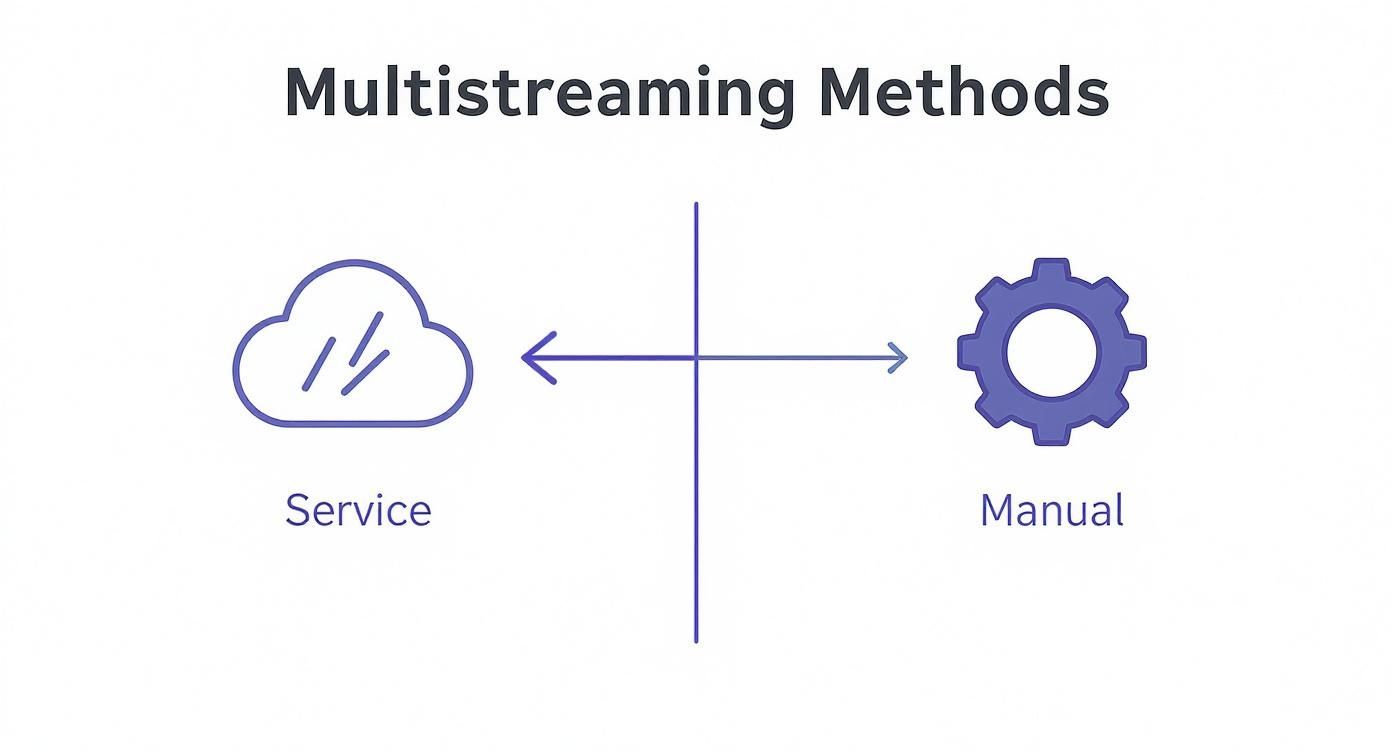
This diagram breaks down the two approaches. The service-based method offloads the work to the cloud, while the manual setup relies entirely on your local machine and internet.
Before you can configure anything, you need to hunt down the RTMP URL and stream key from each platform. You'll usually find these in the "Go Live" or "Creator Dashboard" section of each site. For example, grabbing your Twitch credentials is a breeze. If you're not sure where to look, our guide on how to find your stream key on Twitch walks you through it.
Got your keys? Great. Here’s what you do in OBS:
- In the "Multiple Outputs" window, click "Add new target."
- Give it a clear name, like "YouTube Stream" or "Facebook Live."
- Carefully paste in the RTMP server URL and the stream key you just copied.
- To keep things simple, leave the video and audio settings on "Get from OBS." This just tells the plugin to use your main stream's settings.
You'll repeat this for every single destination. When it's time to go live, the sequence is important: start your main stream from the normal "Controls" dock in OBS first. Then, go to the "Multiple Outputs" window and click "Start" on each individual target.
Why Your Upload Speed Is So Critical
When you multistream manually, you're not sending one stream out—you're sending multiple, separate streams from your computer. This multiplies the strain on your internet's upload speed. Underestimating this is the number one mistake people make, and it's what leads to a choppy, buffering nightmare for your viewers.
Pro Tip: Your total upload speed requirement is the sum of the bitrates for every individual stream you're sending out. You need to leave a safety margin of at least 25-30% on top of that to handle any network hiccups.
Let's do some quick math. Say you want to stream to three platforms, each at a respectable 4,000 Kbps bitrate. That means your computer is pushing out a total of 12,000 Kbps, or 12 Mbps. To be safe, your internet connection needs to have a stable upload speed of at least 15-16 Mbps.
Before you even try this, run a speed test. If your upload speed can't handle the load, don't force it. A cloud-based service will be a much more reliable and less stressful option.
Optimizing Your Stream for Each Platform
Going live everywhere at once is a fantastic way to expand your reach, but let's be honest—the real magic happens when you make each audience feel like you’re broadcasting just for them. A one-size-fits-all stream can feel lazy and disconnected. The best creators know that every platform has its own vibe, its own rules, and its own audience expectations.
The good news is that you don't have to create a completely different show for each destination. It’s all about making smart, strategic tweaks that show you've done your homework. That attention to detail is what turns a random viewer into a loyal fan.
Tailoring Titles and Descriptions
Think of your stream's title as your first impression. It’s your digital handshake, and it needs to be firm and confident on every platform. A title that works wonders on YouTube will likely fall flat on Facebook.
For YouTube, think like a search engine. Your title needs to be loaded with keywords people are actually looking for. What would someone type into Google or YouTube to find your stream?
Facebook, on the other hand, is all about sparking a conversation. A title posed as a question or a bold, opinionated statement is far more likely to get people talking, sharing, and reacting. Twitch is a different beast altogether; titles there are often more casual, sometimes including inside jokes or direct call-outs to the community.
- YouTube Example: "How to Build a Gaming PC in 2025 | Step-by-Step Guide for Beginners"
- Facebook Example: "Think building a PC is hard? I’m proving you wrong LIVE! Ask me anything."
- Twitch Example: "First-time PC build! Come hang out and see if I mess this up. !build"
The same strategy applies to your descriptions. YouTube's description box is prime real estate for SEO, timestamps, and helpful links. We've got a whole guide on how to optimize video for YouTube that dives deep into making your content as discoverable as possible.
Respecting Platform Format and Culture
Not every platform was designed for a standard 16:9 widescreen video. If your multistreaming setup includes mobile-first apps like TikTok or Instagram, broadcasting a horizontal video can look awkward and immediately alienate those viewers.
A pro move is to set up a separate scene in your broadcasting software specifically for a vertical 9:16 crop of your main feed. It’s a small technical adjustment that makes your content feel native and massively improves the viewing experience on mobile. And for repurposing content later, tools like a dedicated YouTube to Shorts converter can be a huge time-saver, ensuring your clips are perfectly formatted.
The cultural fit is just as crucial as the technical one. Twitch chat is a lightning-fast world of custom emotes and memes. LinkedIn Live, however, is a professional forum for industry-specific questions. Recognizing and respecting these differences in how you present yourself is non-negotiable.
You wouldn’t drop a bunch of gaming slang during a LinkedIn Q&A, and you wouldn't keep a stiff, corporate tone on Twitch. Simply adjusting your language and energy to match the platform’s atmosphere makes a world of difference.
Adapting to a Global Audience
When you start multistreaming, you’re not just talking to your local community anymore—you’re broadcasting to the world. This opens up some incredible opportunities, but it also means you need to think bigger.
Globally in 2025, streaming is king, with 76% of consumers watching online TV or streaming content every single day. But that's not the whole story. The daily average streaming time in Japan, for example, is just 20 minutes. At the same time, the hunger for international content is booming—24% of global viewers prefer it, and that number skyrockets to 46% in Brazil. These figures tell us that understanding different cultural appetites is key to growth. You can dive deeper into these global streaming trends and stats on GWI.com to get a better picture.
This means you need to start thinking about:
- Time Zones: Don't just stream when it's convenient for you. Schedule broadcasts that can catch key audiences in their prime time.
- Language: Keep your language clear and accessible. Enabling auto-captions is always a good idea.
- Cultural References: That hilarious meme or local joke? It might not land so well with an international audience. Stick to more universal themes.
By thinking globally, you make your content more welcoming to the massive, diverse audience that multistreaming puts at your fingertips. Every little tweak—from a custom title to a vertical video crop—adds up to a more polished, professional broadcast that connects with viewers, no matter where they’re watching from.
Engaging a Scattered Audience Like a Pro
When you multistream, you're broadcasting to a much wider audience, but that audience is siloed. You’ve got a chat room on Twitch, a comment section on YouTube, and another on Facebook, all running independently. This is easily the biggest hurdle for any multistreamer. If you ignore the conversations happening on different platforms, you’re basically telling those viewers they don't matter.
Your real goal is to make all those separate chats feel like one big, unified community event. To pull this off, you need a mix of the right tools and a smart on-camera strategy. When you nail it, someone watching on YouTube feels like they’re in the same room as the folks on Twitch and Facebook, not just peeking in from a different window.
Unifying Your Chat Experience
First things first: you have to bring all those chats into one place. Trying to keep an eye on three or four separate browser windows while you're live is a surefire path to chaos. You'll miss important messages, look distracted, and never build any real conversational rhythm.
Thankfully, most good multistreaming services offer a unified chat overlay. This is a game-changer. It pulls every single incoming message from all your connected platforms—YouTube, Twitch, Facebook, you name it—into one consolidated feed. You can even display this feed right on your stream for everyone to see, which instantly tears down the walls between platforms.
When a viewer on YouTube sees their comment pop up right next to one from a Twitch user, it creates an immediate sense of a shared space. They stop being just a "YouTube viewer" and become part of a single, larger conversation.
From a practical standpoint, this unified view makes your job as a host so much easier. With just one feed to watch, you can actually respond to questions and comments in real-time, no matter where they came from. It turns a frantic juggling act into a fun, interactive dialogue with your entire audience.
Making Every Viewer Feel Included
While the right tools are crucial, your on-air presence is just as important for building that cohesive community feel. One of the simplest yet most effective things you can do is just verbally acknowledge where people are watching from.
Making this a regular habit really fosters a sense of inclusivity. It shows you’re paying attention and that you appreciate every single segment of your audience.
- Give Direct Shout-Outs: Every so often, say things like, "We've got a great question coming in from the Facebook crew," or "Big thanks to everyone tuning in from Twitch tonight!"
- Acknowledge Platform-Specific Actions: Did someone drop a YouTube Super Chat or use Twitch Channel Points? Thank them by name and quickly explain what it is for viewers on other platforms. For example, "Thanks for the Super Chat, Sarah! For those on Twitch, that’s a cool way viewers on YouTube can highlight their message."
- Encourage Cross-Platform Awareness: You can even stir up some friendly rivalry by saying something like, "Let's see if our YouTube audience can top the great questions we're getting from LinkedIn today."
These small verbal cues constantly reinforce the idea that everyone is part of one big event. If you want to dive deeper into these kinds of strategies, it's worth checking out some practical tips to improve social media engagement across all your channels.
Balancing Platform-Specific Features
Many platforms have their own unique monetization and engagement tools, like Hype Trains on Twitch or Stars on Facebook. A common worry is that by highlighting these, you'll alienate viewers on other platforms where those features don't exist.
The trick is to handle these moments with grace. When you get a donation or a subscription, celebrate it as a win for the entire community, not just for one platform. Frame it as support for the content that everyone is enjoying together. By keeping this unified mindset, you can use the best features from each platform without making anyone feel left out of the party.
Got Questions About Multistreaming? We've Got Answers.
Jumping into multistreaming always brings up a few questions. It's totally normal. You're trying to figure out platform rules, technical specs, and what this all means for your channel's growth. Let's clear up some of the most common things creators ask when they decide to go live everywhere at once.
Getting a handle on these details upfront will save you a world of frustration down the road and help you build a much smarter content strategy.
Will Multistreaming Derail My Twitch Affiliate Goals?
This is a huge one, and for good reason. The short answer is yes, multistreaming can prevent you from becoming a Twitch Affiliate or Partner. The Twitch Affiliate Agreement is very clear about this.
There's a specific exclusivity clause in the contract. It states that for the first 24 hours after your live stream ends, that content must live only on Twitch. If you broadcast to YouTube or Facebook at the same time, you're in direct violation of that agreement. So, if climbing the ladder on Twitch is your number one priority, you have to stream exclusively to their platform. Period.
Do I Need a Monster Internet Connection?
This really depends on how you're multistreaming. The method you choose has a massive impact on your internet's upload speed requirements.
Using a Cloud Service (like Restream): Not at all. Your internet needs are basically the same as streaming to a single platform. You just send one solid stream up to the service's servers, and they do all the heavy lifting of sending it out to your connected channels. This is hands-down the best way to go if you're working with a standard home internet connection.
Using a Manual RTMP Setup (in OBS): Oh, absolutely. With this approach, your own computer is pushing out a completely separate stream for every single platform. That means the demand on your upload bandwidth multiplies with each destination you add.
Thinking of going manual? If you're sending a 4,000 Kbps stream to three platforms, you'll need a stable upload speed of at least 15-16 Mbps to keep things from turning into a pixelated mess. Underestimating this is the number one reason manual multistreams fail.
How Do I Manage All the Different Bitrate Limits?
Trying to meet the unique technical demands of each platform can feel like a headache. YouTube might happily accept a high-quality 1080p stream, but another platform might have a much lower cap and simply reject a feed that's too powerful.
This is another area where cloud-based services really shine. They automatically handle this for you. Your single high-quality stream gets "transcoded" in the cloud, meaning the service intelligently adjusts the bitrate and resolution for each destination, making sure everyone gets a perfectly optimized feed.
If you're determined to do it manually in OBS, you've got some configuration work to do. You'd set your main OBS output to the highest quality you want to send (say, 1080p for YouTube). Then, you'd have to use a plugin to create separate, lower-bitrate outputs for the other platforms, ensuring each one gets a stream it can actually handle.
Is It Better to Split My Audience or Focus on One Channel?
This question is less about tech and more about strategy. Honestly, there's no single "right" answer here because it all comes down to your goals.
Focusing on a single platform is a great way to build a deep, tight-knit community. You get to learn one algorithm inside and out and really hone in on what that specific audience wants.
Multistreaming, on the other hand, is a tool for maximum reach and audience discovery. Think of it as casting a wide net to find out where your people are hanging out. A lot of top creators use a hybrid approach: they start by multistreaming everywhere to see which one or two platforms bring in the most viewers and engagement. Once they have that data, they double down and focus their energy there.
Instead of juggling live streaming stress, what if you could perfect your content in advance and broadcast it flawlessly? Pre-recorded LiveStream lets you do just that. Upload your polished video, schedule it for the perfect time, and our cloud-based platform handles the rest, streaming it live to up to five platforms at once. You get the engagement of a live event without any of the risk. Explore a smarter way to stream at https://prerecordedlivestream.com.